



















At Baobabmart, we try to offer excellent customer support. If you are faced with any issues or have questions, create a support ticket. This is the most effective way to get assistance with your orders, products, or account. This easy support guide will lead you through the process of creating a ticket on Baobabmart. It will make sure your concerns are swiftly addressed.
How to create a ticket on Baobabmart
1. Easy Support Guide for Creating a Ticket
Follow the steps below to create a support ticket on Baobabmart:
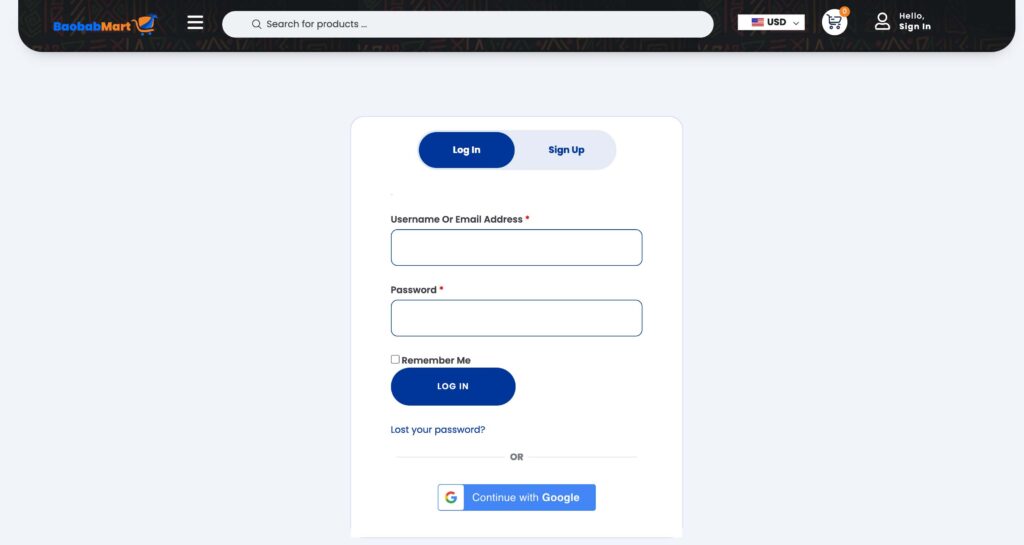
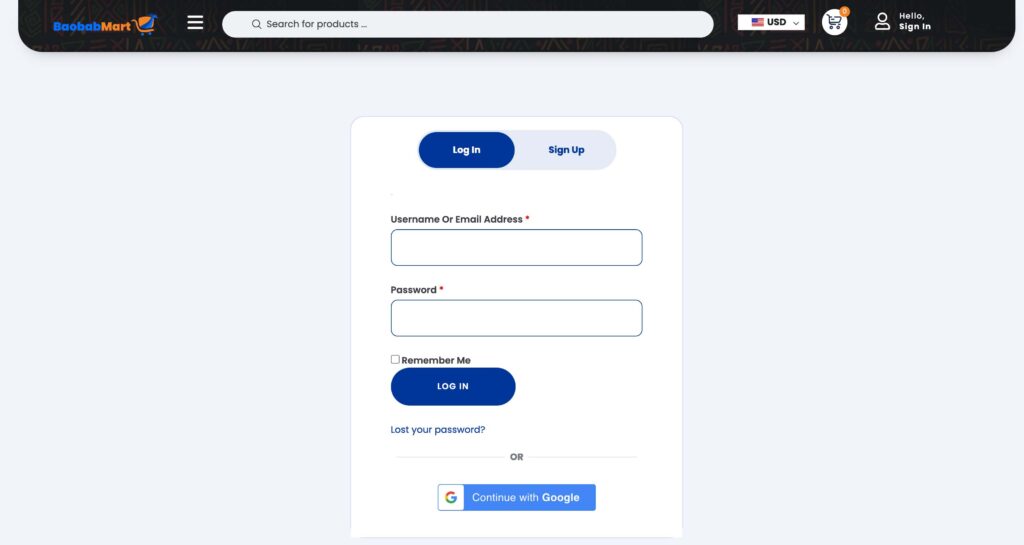
Log In to Your Baobabmart Account
- Go to Baobabmart and log in using your email and password.
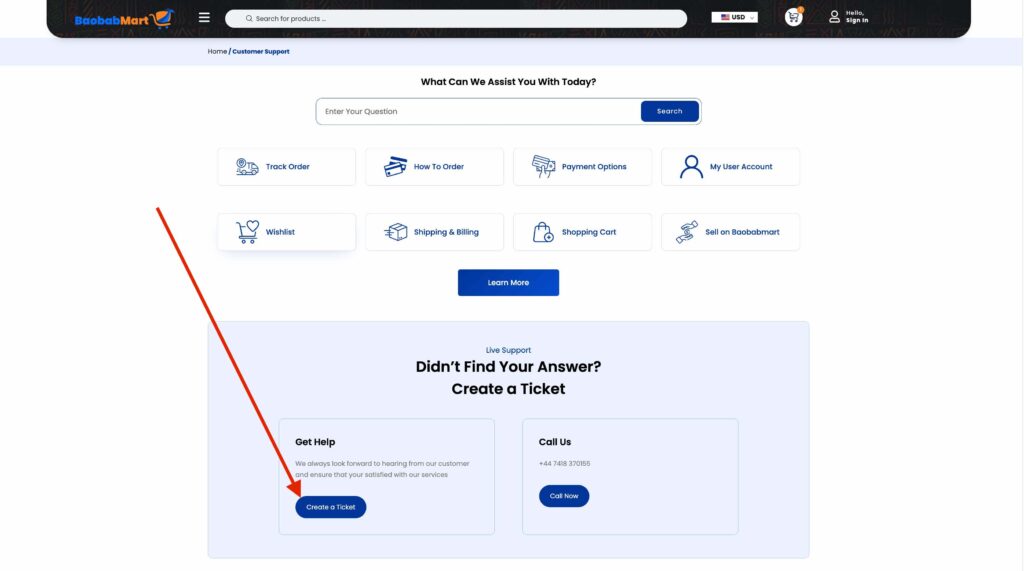
Access the Support Center
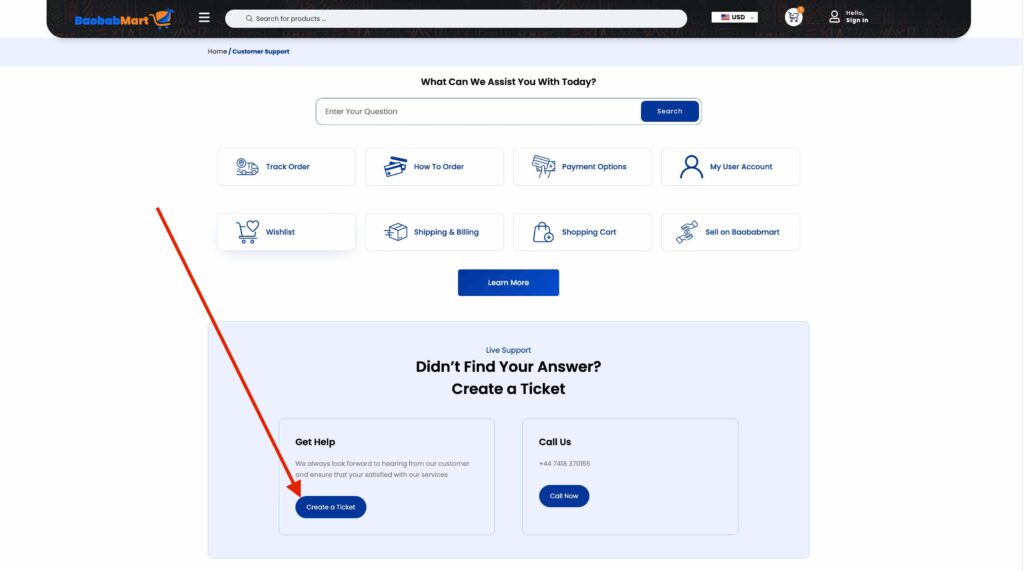
- Click on your profile icon or go to the “ Customer Support” section at the bottom of the homepage.
Select ‘Create a Ticket’
- Once in the support center, find and select “Create a Ticket” by clicking on the button.
Choose the Ticket Category
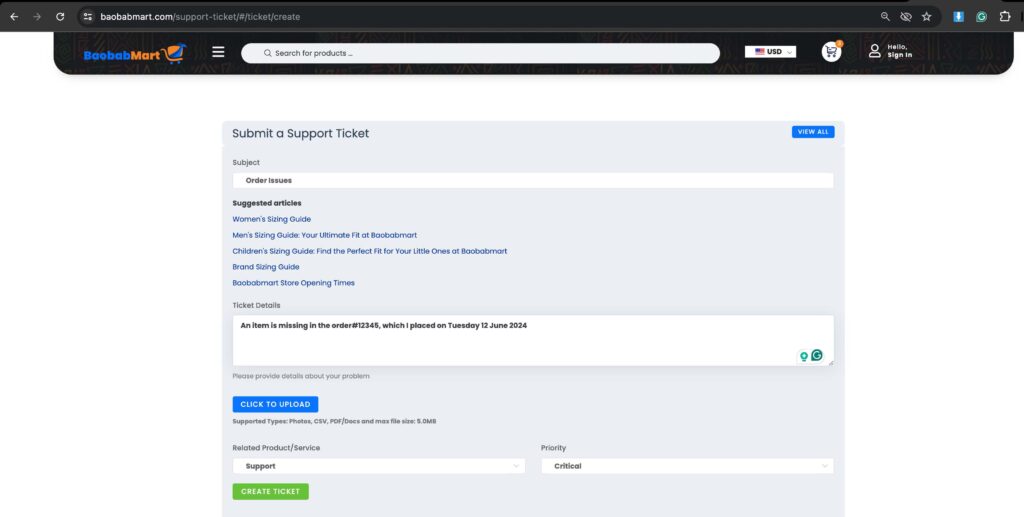
- Select the category that best describes your issue, such as “Order Issue,” “Product Inquiry,” “Technical Support,” or “Account Issue.”
Fill in Ticket Details
- Provide a detailed and precise description of your issue or question. Include any relevant order numbers, product details, or screen captures to help the support team to better understand and address your concern.
Attach Supporting Documents
- If necessary, attach any supporting documents, such as receipts, order confirmations, or screenshots, to provide additional context.
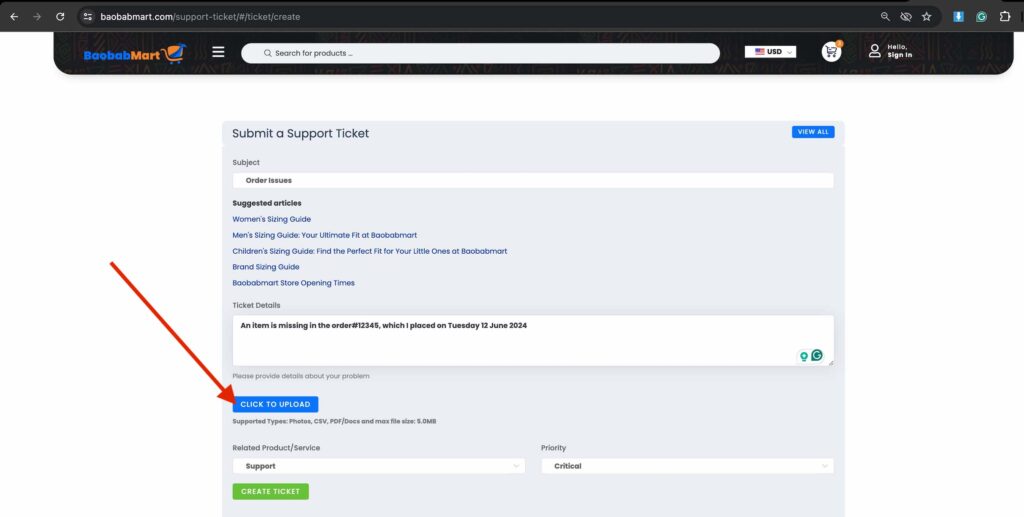
Submit Your Ticket
- After filling in all the required fields, click the “Submit” button to send your ticket to the support team.
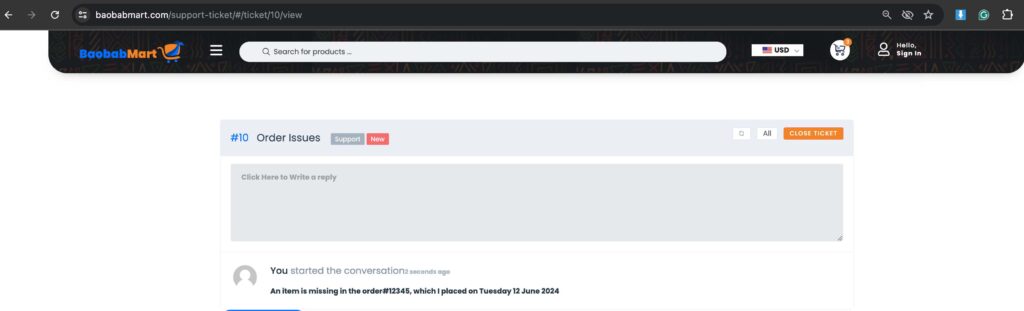
Confirmation and Tracking
- You will receive a confirmation email with a ticket number. Use this number to track the status of your ticket.
Tips for Effective Ticket Submission
- Be Specific: Provide detailed information about your issue to enable the support team to quickly resolve it.
- Use Clear Language: Describe your problem or question clearly and concisely.
- Follow-up: If you do not hear back within the expected time frame, follow up using your ticket number.
Common Issues and How to Describe Them
- Order Not Received: Mention your order number and expected delivery date.
- Product Defect: Describe the defect and attach photos if possible.
- Account Problems: Explain the issue with your login or account settings.
2. Tracking Your Ticket Status
To check the status of your ticket:
Log In to Your Account
- Visit the Baobabmart website and log in using your email and password.
Go to Support Center
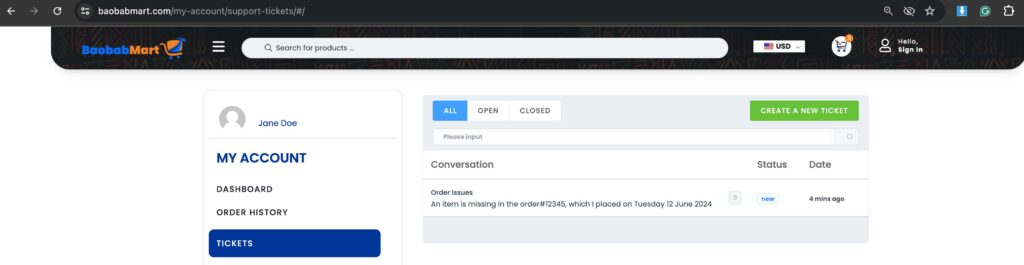
- Navigate to the support center as described earlier or select “Tickets” in your account settings.
View Ticket Status
- Click on “Tickets”to see the status of your current and past tickets.
Contacting Support for Urgent Issues
If you have an urgent issue, you may contact Baobabmart customer support directly:
- Phone: +237 651 598 005 /+44 7418 370155
- Live Chat: Available on the website for immediate assistance.
Creating a ticket on Baobabmart is straightforward and ensures your concerns are addressed efficiently. By following this guide, you can ensure that your issues are resolved quickly and satisfactorily.
Thank you for choosing Baobabmart, and we are always here to help you!