

















Sometimes plans change, and you may need to cancel an order on Baobabmart. This guide will give you the steps. It explains how to cancel an order on Baobabmart quickly and efficiently. This ensures you can manage your purchases with ease.
Step-by-Step Guide to Canceling an Order
Follow these steps to cancel your order on Baobabmart:
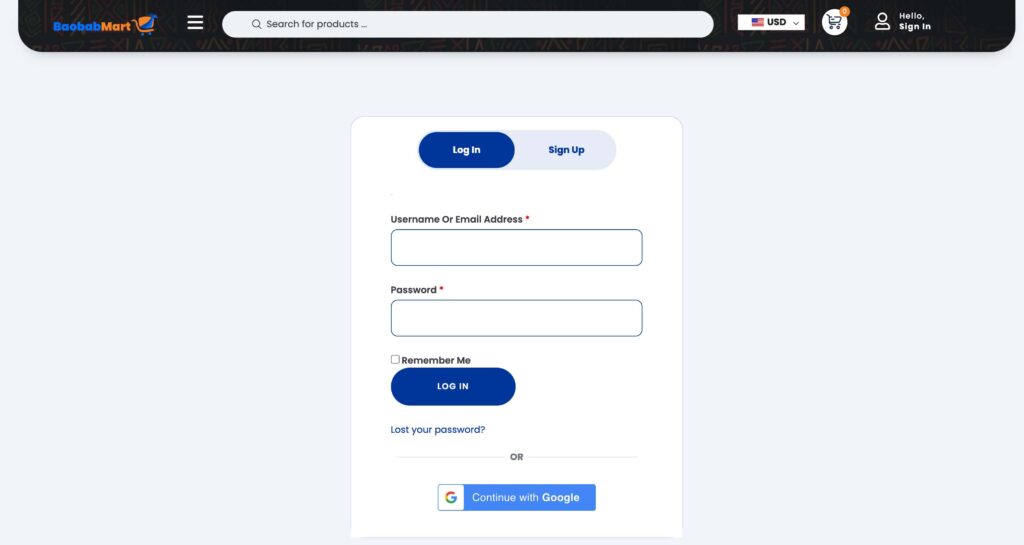
Log In to Your Account
- Go to the Baobabmart website and log in to your account using your username and password.
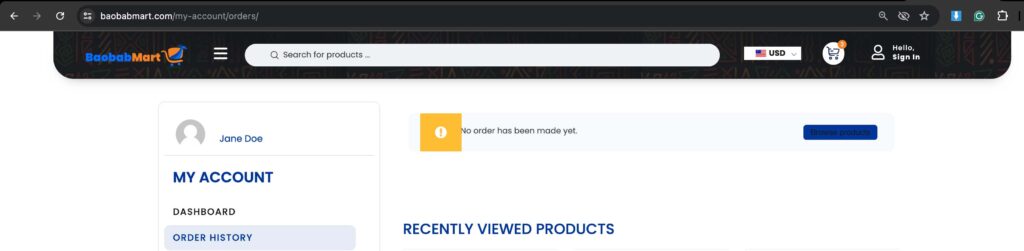
Navigate to Order History
- Click on your profile icon or name to access your account’s dashboard.
- Select “Order History” from the menu to see all your past and current orders.
Select the Order You Want to Cancel
- Find the order you would like to cancel from the list of your orders.
- Click on the order to view the details.
Click on the Cancel Order Button
- If the order is still eligible for cancellation, you will see a “Cancel Order” button. Otherwise, you won’t see anything, meaning the order can’t be canceled anymore.
- Click on this button to start the cancellation process.
Confirm Your Cancellation
- A confirmation window will pop up. Confirm that you want to cancel the order.
Get Cancellation Confirmation
- You will get an email confirming that your order has been successfully canceled.
- The status of the order in your order history will also be updated to “Canceled”.
Important Points to Remember
- Cancellation Window: Orders can typically only be canceled within a certain time frame after buy. Check the order status to verify it is still eligible for cancellation.
- Refund Policy: If your order is canceled successfully, a refund will be processed according to Baobabmart’s refund policy. It take a few days for the refund to in your account.
- Partial Cancellations: If you wish to cancel only part of your order, contact Baobabmart customer support for assistance.
What to Do If You Miss the Cancellation Window
If you miss the cancellation window, you can:
- Return the Order: Once you get the item, follow the return process outlined by Baobabmart.
- Contact Customer Support: Reach out to Baobabmart customer support for help with order issues or potential late cancellations.
How to Contact Customer Support
If you face any issues or need further assistance with canceling your order, here’s how you can contact customer support:
- Phone: +237 651 598 005 /+44 7418 370155 (Monday to Friday, 9:00 AM – 5:00 PM)
- Live Chat: Available 24/7 on the website for immediate assistance.
Frequently Asked Questions
- Can I cancel an order after it has shipped?
- No, you can’t cancel an order once it has been shipped. You will need to return the item after receiving it.
- How long does it take to get a refund?
- Refunds are typically processed within 5-7 business days, but it vary depending on your payment method.
- Is there a cancellation fee?
- Baobabmart does not charge a cancellation fee for orders canceled within the eligible window.
Canceling an order on Baobabmart is simple and designed to give you flexibility and control over your purchases. Follow this guide so as to easily manage your orders and make sure you have a seamless shopping experience.
Thank you for choosing Baobabmart, and happy shopping!