

















Your password is the main security portal to your account security at Baobabmart. Whether you need to change your password for security reasons or reset it because you’ve forgotten it, this easy guide will seal you through the process of changing or resetting the password of your Baobabmart account.
1. How to Change Your Password
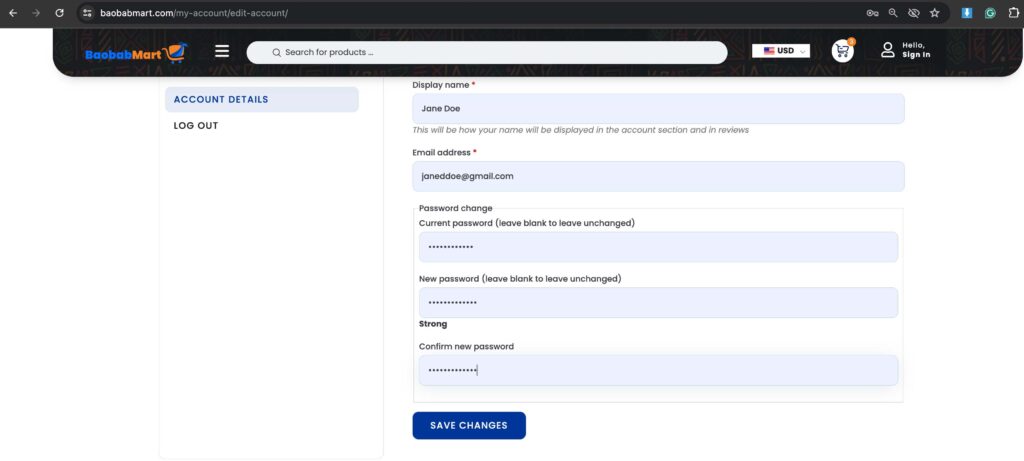
Regularly changing your password helps keep your account secured. Here is how to do it:
Log In to Your Account
- Go to the Baobabmart website and log in with your current credentials(email and password).

Access Account Settings
- Click on your profile icon or name to navigate to account details.
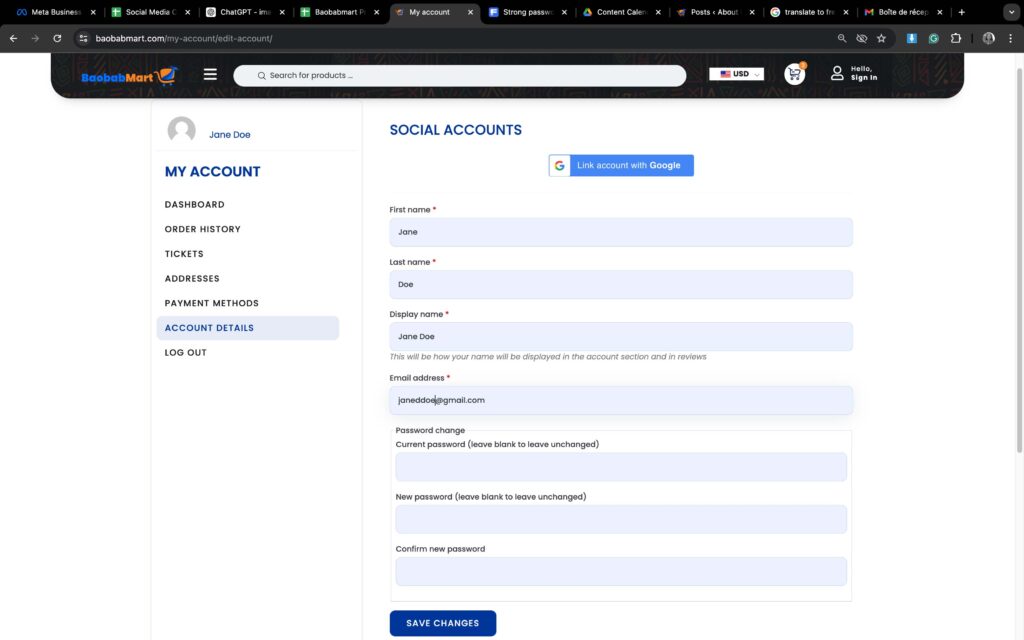
Enter Your Current Password
- Type in your current password for verification.
Set Your New Password
- Enter your new password. Make sure it is strong(contains a mix for uppercases, lowercases, numbers and special characters) and unique.
Confirm Your New Password
- Re-enter your new password to confirm it.
Save Changes
- Click “Save” or “Update” to finalize the change.
2. How to Reset Your Password
If you happen to have forgotten your password, follow these steps to reset it:
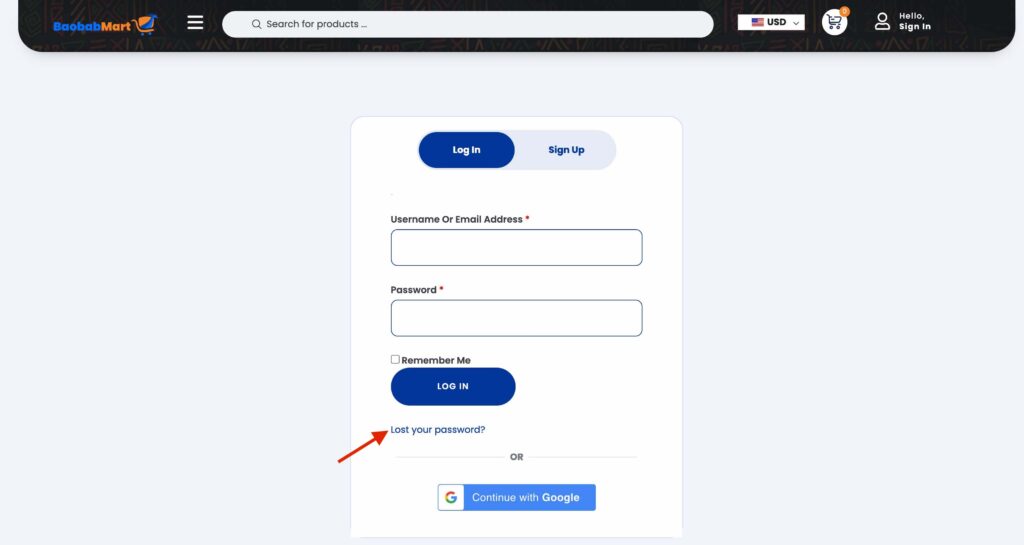
Go to the Login Page
- Visit the Baobabmart login page and click on “Forgot Password?”.
Enter Your Email Address
- Provide the email address or user name that is associated to your Baobabmart account.

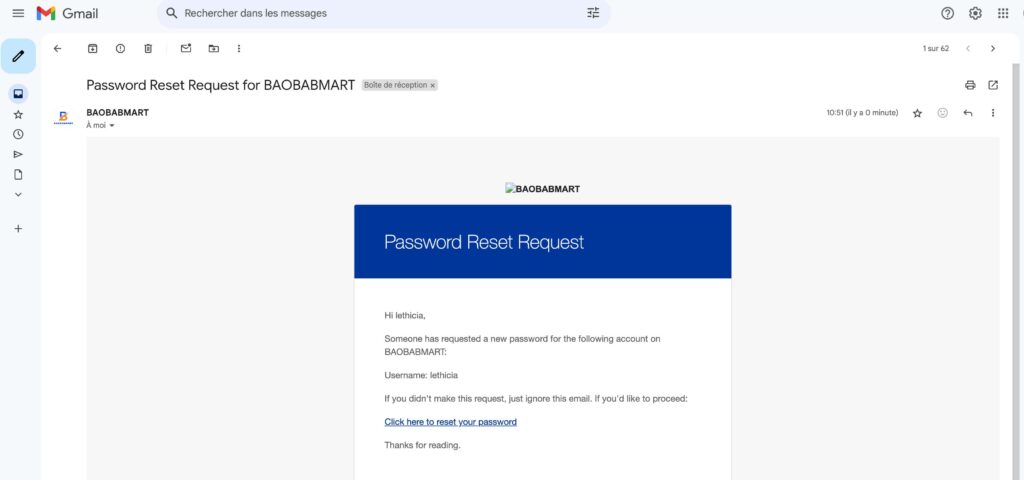
Check Your Email
- You will receive a password reset link in your email. Open the email and click on the link.
Enter a New Password
- On the reset page, enter a new strong and secured password and confirm it.
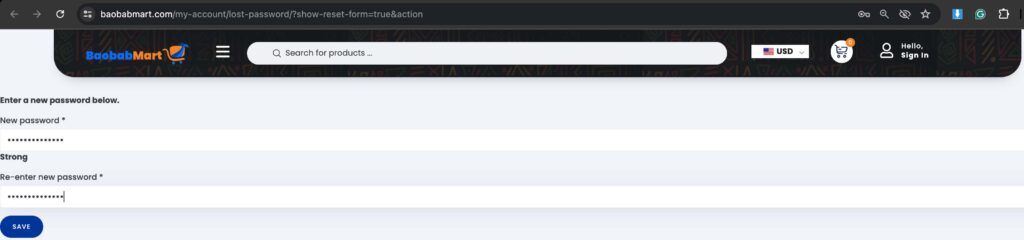
Save Your New Password
- Click “Save” or “Update” to complete the process.

Tips for Creating a Strong Password
- Use a Combination: Mix letters(uppercases A-Z and lowercases a-z), numbers(0-9), and special characters(#,@,$,%…etc).
- Avoid Common Words: Do not use easily guessable words or sequences such as 123456789, birthdays…etc.
- Keep It Long: Your password should contain at least 12 characters.

Troubleshooting Password Issues
If you encounter issues, consider these solutions:
- No Reset Email? Check your spam or junk folder.
- Link Not Working? Ensure you use the latest verification link sent to your email.
- Still Having Problems? Contact Baobabmart customer support for assistance.
Why Is It Important to Regularly Change Your Password
- Enhances Security: Protects your account from unauthorized access.
- Prevents Data Breaches: Reduces the risk of your account being compromised.
- Maintains Account Integrity: Keeps your personal information safe.
Keeping your password updated is crucial for maintaining the security of your Baobabmart account. Follow this guide to change or reset your password quickly and easily.
Stay secure and enjoy shopping with Baobabmart!